Tunnel Drive Racing Challenge
Reviews
Tunnel Drive Racing Challenge delivers an engaging arcade experience with vibrant 3D tunnels and responsive controls. The career mode adds depth through car upgrades and unlockables, while quick race mode is great for short bursts. The automatic forward movement keeps the action intense, and the variety of tracks prevents boredom. A solid choice for casual racing fans.
About this game
Game Introduction
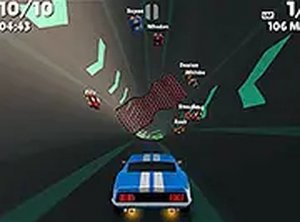
Tunnel Drive Racing Challenge is a high-speed driving experience set in colorful, twisting tunnels. Players control a car as it races through dynamic environments filled with obstacles and other vehicles. The core objective is to navigate these tunnels quickly and avoid collisions to maintain speed and progress. What makes this game unique is its combination of fast-paced arcade racing with a tunnel setting, creating a visually intense and immersive challenge. The game is designed for quick sessions but also offers a career progression system for longer engagement.
How to Play
In Tunnel Drive Racing Challenge, your car moves forward automatically. Players steer left or right to avoid walls, obstacles, and other cars. On desktop, this is typically done using keyboard arrow keys, while on mobile devices, touch controls are used. The game offers two primary modes. In career mode, you complete races to earn points, which can be used to unlock new cars and upgrades. Quick race mode lets you jump directly into any unlocked track with your chosen car for instant play. The game saves your progress automatically, so you can continue from where you left off.
Game Features
Tunnel Drive Racing Challenge features stunning 3D graphics with bright, colorful tunnel environments. It includes two main game modes: a career progression mode and a quick race mode for instant play. Players can customize their cars with upgrades to engine power, handling, and appearance. The game requires no download and works directly in desktop and mobile browsers. A full-screen mode is available for a more immersive experience. The variety of tracks and cars helps keep each race feeling fresh.
Tips for Success
To succeed in Tunnel Drive Racing Challenge, focus on maintaining a steady line through the tunnels to avoid obstacles. Practice steering smoothly rather than making sharp turns, as this helps you react faster to upcoming hazards. In career mode, prioritize upgrading your car's handling first, as better control can prevent crashes. Use quick race mode to practice on different tracks and learn their layouts. Finally, take short breaks between races to keep your reflexes sharp and avoid fatigue.