City Guardian Defender Arcade
Reviews
City Guardian Defender offers a satisfying arcade experience with its blocky city setting and straightforward controls. The game is easy to pick up but requires strategic thinking to survive. The full screen mode enhances immersion, and the free browser-based play is a big plus. It is a great choice for quick gaming sessions.
About this game
Game Introduction
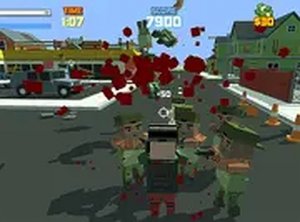
City Guardian Defender is a free browser-based arcade game where players take on the role of a lone protector in a blocky city under threat. The city faces an attack from a determined general and his forces, and you become the final defender against these invaders. Your core objective is to protect your home and demonstrate your strength to the enemy. This action-packed game challenges your strategic thinking and reflexes as you work to overcome enemies and prevent the city from falling. Designed for desktop play, it offers an immersive experience with keyboard and mouse controls. The game is free to play directly in your browser without any downloads. For a more intense experience, you can switch to full screen mode. If you enjoy this game, explore similar titles like Rise of the Zombies 2, Stickman Sniper Challenge, Shoot Your Nightmare: Halloween Special, and Mountain Tank.
How to Play
To play City Guardian Defender, use your keyboard and mouse on a desktop computer. Move your character with the arrow keys or WASD, and aim and interact with the mouse. Your goal is to overcome the general and his soldiers before they overrun the city. Stay alert, dodge enemy attacks, and take precise actions to eliminate threats. The game runs smoothly in your browser, and you can toggle full screen mode for a better view. Practice your skills and strategize your moves to survive each wave of enemies. Remember, you are the last line of defense, so every action counts.
Game Features
Game features include free play with no download required. It is designed exclusively for desktop computers. Full screen mode enhances the visual experience. The blocky city setting provides a unique and engaging environment. Controls are simple and responsive, making it easy to pick up and play.
Tips for Success
Focus on accuracy rather than rapid actions to conserve resources. Use cover effectively to avoid taking damage. Prioritize high-value targets like the general to disrupt enemy coordination. Stay mobile to make yourself a harder target. Practice your aim to improve your reaction time. Learn enemy patterns to anticipate their movements.