Bus Parking Challenge Arcade
Reviews
Bus Parking Challenge Arcade offers a satisfying driving simulation with realistic graphics and sound. The controls are responsive, and the levels gradually increase in difficulty, keeping the gameplay engaging. It is a great way to practice parking skills without any real-world consequences.
About this game
Game Introduction
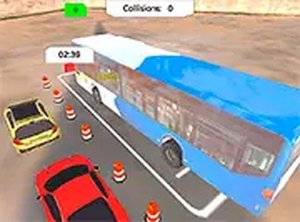
Bus Parking Challenge Arcade puts you in the driver seat of a full-sized bus. Your goal is to navigate through various parking lots and park in the designated spots. Each level introduces new obstacles and tighter spaces, testing your ability to steer and judge distances. The game uses realistic 3D graphics and authentic engine sounds to create an immersive experience. It is designed for players who enjoy driving challenges and want to improve their parking skills in a safe, virtual environment. Available online, it requires no download and runs directly in your browser.
How to Play
Use your keyboard arrow keys or mouse to control the bus. Steer carefully around barriers, other vehicles, and pedestrians. Follow the on-screen guide to the parking spot. When you reach the target area, align the bus within the marked lines. The game provides feedback on your accuracy and time. As you progress, levels become more difficult, requiring sharper turns and more precise stops. Take your time and focus on smooth movements to succeed.
Game Features
Realistic 3D graphics create an authentic driving environment. Challenging levels gradually increase in difficulty. Immersive sound effects include engine noise and parking sensors. Controls work with keyboard or mouse for flexibility. Full screen mode enhances focus and enjoyment.
Tips for Success
Practice regularly to improve your steering and distance judgment. Start with easier levels to build confidence before tackling tighter spaces. Use smooth, gradual movements rather than sharp turns to maintain control. Pay attention to the on-screen feedback to refine your technique. Take breaks if you feel frustrated to maintain a clear mind.