Tower Guardian 2: Defense Strategy
Reviews
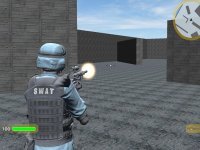
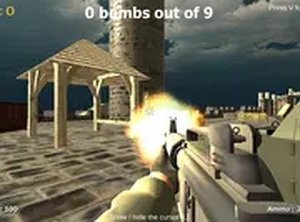
Tower Guardian 2 offers a refreshing take on tower defense by putting you in first-person view. The gameplay is simple yet engaging: stop carriers, disable devices, and protect your tower. It runs smoothly in a browser with no downloads, making it accessible for quick sessions. The controls are precise, and the lack of graphic content makes it suitable for all ages. A solid choice for strategy fans.
About this game
Game Introduction
Tower Guardian 2 is a first-person action strategy game focused on protecting a central tower from carriers that attempt to bring harmful devices to the base. The core objective is to stop these carriers quickly and then locate and disable the devices they leave behind before they activate. This game combines aiming accuracy with fast decision-making, offering a clear challenge for players who enjoy both action and planning. It runs entirely in a browser with no downloads required, and full-screen mode improves the view. Designed for desktop use with a keyboard and mouse, it allows precise targeting and smooth movement. The game is family-safe, with no graphic content, and focuses on tactical defense and speed. Players must remain alert and move efficiently around the area to succeed. The experience is built around quick rounds that fit into short breaks, making it accessible for casual play while still providing depth for those seeking a strategic challenge. The game emphasizes skill development, as players learn carrier movement patterns and improve their reaction times over time. There are no hidden costs or mature themes, making it suitable for all ages.
How to Play
Players use the mouse to aim and click to stop carriers approaching the tower. Movement around the area is required to locate and disable harmful devices before they cause damage. Quick reactions and accuracy are important, as carriers will try to block progress. The game starts immediately in the browser on a computer, with no downloads or installations needed. For the best view, players can use full-screen mode. Controls are simple to learn, making the game accessible for new players while still offering depth for those with more experience. The game is designed exclusively for desktop computers and uses keyboard and mouse controls for precise aiming and movement. Rounds are quick, fitting into short breaks. There is no graphic or mature content, making it suitable for all ages.
Game Features
This game is free to play with no hidden costs. It is browser-based, so no downloads or installations are required. Full-screen mode provides an immersive view. The game is designed exclusively for desktop computers and uses keyboard and mouse controls for precise aiming and movement. Rounds are quick, fitting into short breaks. There is no graphic or mature content, making it suitable for all ages.
Tips for Success
Stay alert and scan the area constantly to spot carriers early. Prioritize disabling devices before they activate, as they can cause significant damage. Practice aiming to improve accuracy and reaction time. Use full-screen mode for a better field of view. Learn carrier movement patterns to anticipate their routes. Take short breaks between rounds to maintain focus and avoid fatigue.