Lux Parking 3D Driving Challenge
Reviews
Lux Parking 3D Driving Challenge offers a straightforward yet engaging parking simulation. The realistic 3D environment and green signposts guide you, while the collision limit adds tension. It is free, requires no downloads, and is safe for all ages. Perfect for quick practice sessions.
About this game
Game Introduction
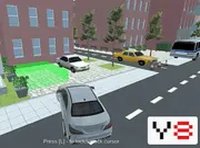
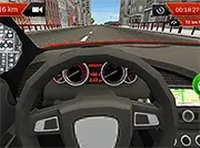
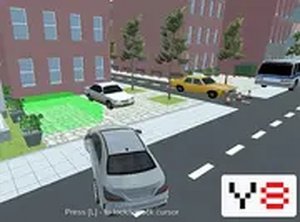
Lux Parking 3D Driving Challenge is a driving and simulation game that places you in a realistic three-dimensional parking environment. The main goal is to follow green signposts that guide you to designated parking spots within a busy lot. This game challenges your spatial awareness and driving precision as you maneuver around other vehicles. Each collision with another car adds to a counter, and after five hits, the session ends. Designed for desktop browsers, this game offers a straightforward yet engaging experience for players who enjoy driving challenges. The game is free to play with no downloads required, making it accessible for quick sessions. Its family-friendly design ensures a safe environment for all ages. The realistic 3D graphics and simple controls help create an immersive experience that tests your ability to park accurately under pressure. Whether you are a beginner or an experienced driver, this game provides a fun way to practice parking skills in a virtual setting.
How to Play
To play Lux Parking 3D Driving Challenge, players typically use keyboard or mouse controls on a desktop computer. The game begins by following green arrows and signs that indicate the correct route to your parking spot. Drive carefully through the lot, avoiding other cars to prevent collisions. Each collision adds to a count, and if you exceed five, the game ends. The goal is to park smoothly in the designated spot without errors. Players should take their time and use the visual cues provided to navigate safely. The controls are easy to learn, allowing you to focus on precision and timing. Practice makes perfect, and each attempt helps improve your parking accuracy.
Game Features
Features of Lux Parking 3D Driving Challenge include free access with no downloads required, full screen mode for an immersive view, simple controls that are easy to learn, and a family-friendly environment suitable for all ages. The game runs directly in your browser for instant play. It offers a realistic 3D parking lot setting with green signposts to guide you. The game tracks collisions, adding a layer of challenge. It is designed for desktop browsers, ensuring a smooth experience. These features make it a convenient and enjoyable choice for players who want a quick driving challenge without any setup.
Tips for Success
To succeed in Lux Parking 3D Driving Challenge, practice your steering and braking to make precise maneuvers. Take your time when approaching parking spots, and use the green signposts as your guide. Avoid rushing, as patience reduces the chance of collisions. Regularly check your surroundings to anticipate obstacles. Consistent practice will improve your spatial awareness and help you park without errors.